
 July 14, 2026
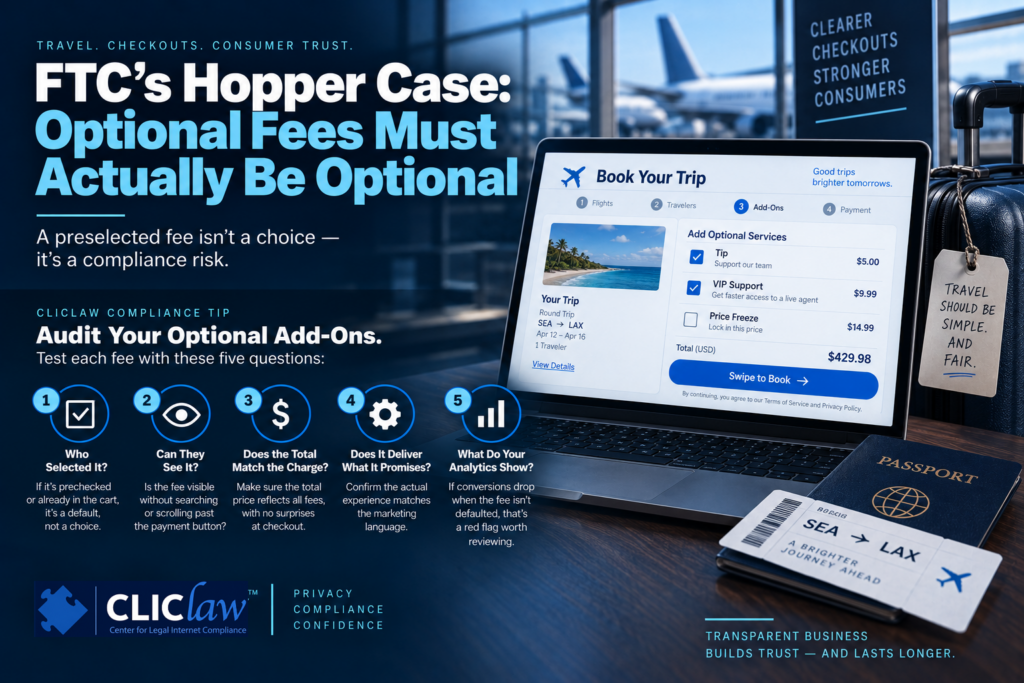
Calling a fee “optional” doesn’t make it optional if the checkout design already selected it for the consumer. That’s the core lesson from the FTC’s $35 million settlement with travel app Hopper, announced July 2, 2026.
What Happened.
Despite marketing itself as having “no hidden fees,” Hopper allegedly added “Tip” and “VIP Support” charges to bookings that were preselected by default and visible only if a consumer scrolled past the “Swipe to Book” button. The FTC’s complaint cites Hopper’s own internal testing as damning evidence: only 15% of users paid the Tip fee when it was disclosed and left unselected, but that rate jumped to 25% when disclosed and preselected — and to 75% when the fee was hidden and preselected. The FTC also alleged Hopper misrepresented what its VIP Support (promising fast access to a live agent) and Price Freeze products actually delivered, with many consumers experiencing long delays or discovering the price protection had limits they weren’t told about.
Hopper agreed to pay $35 million for consumer redress, and the U.S. District Court for the District of Massachusetts entered the stipulated order on August 20, 2026, permanently barring the company from misrepresenting fees and requiring clear, upfront disclosure of total price before purchase. Hopper maintains the practices were discontinued in 2023, before the FTC’s inquiry began, and that the settlement doesn’t reflect the merits of the claims.
Why this Matters Beyond Travel Apps.
Any business offering optional add-ons at checkout — priority support, protection plans, tips, insurance, expedited processing — faces the same risk if the interface adds the charge by default rather than letting the consumer choose it. The test isn’t whether the word “optional” appears somewhere in your terms; it’s what happens if the consumer does nothing. If doing nothing results in a charge, that’s not really an optional product — it’s a default one the consumer has to notice and remove.
CLIClaw Compliance Tip: Audit Your Optional Add-Ons.
Pick five add-ons or optional fees currently offered on your website or app, and test each one with this checklist:
-
Who selected it? If the box is checked, the fee is preloaded, or the upgrade is already in the cart before the consumer does anything, flag it — that’s a default, not a choice.
-
Can they see it without searching? Complete a real purchase on both desktop and mobile without deliberately looking for the fee. If you reach the payment button before naturally encountering the charge, the disclosure is in the wrong place.
-
Does the total match the charge? Compare the “total price” shown right before purchase to what actually gets charged. Any gap needs a clear, visible explanation before the consumer pays — not buried in the terms.
-
Does the add-on deliver what it promises? If you sell premium support, protection, or a service upgrade, confirm the actual experience (response time, coverage limits, availability) matches the marketing language, not just that consumers agreed to pay for it.
-
Do your own analytics tell a story you’re not acting on? If A/B testing shows conversion drops sharply once a fee is clearly disclosed or unselected by default, that’s a signal worth reviewing with compliance — not just a metric to optimize around.
Run this test any time you redesign a checkout flow, and keep screenshots or version records of how pricing and fees appeared at each stage. If a regulator or customer later disputes what was disclosed, that evidence is what will let you show what consumers actually saw.
For operational guidance and structured compliance documentation tools, visit the CLIClaw Marketing Compliance Library.
© 2026 CLIClaw.com
This article is for information purposes only. It is not intended to be and should not be relied on as legal advice for any particular matter.